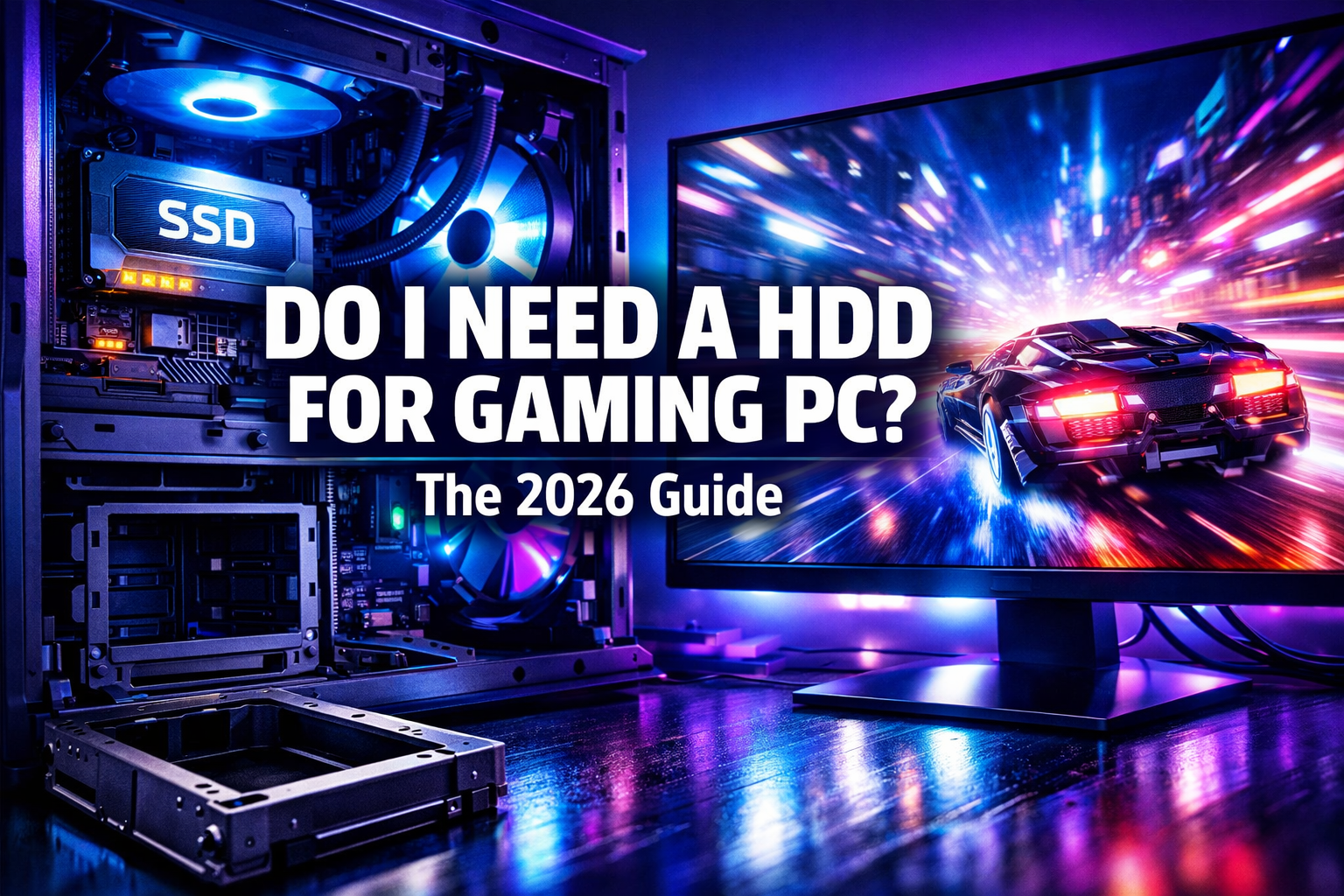

In the rapidly evolving world of PC gaming, hardware choices can make or break your immersive experience. One question that continues to surface for both new builders and seasoned enthusiasts is: do I need a HDD for gaming PC in 2026? With the dominance of Solid State Drives (SSDs) and the rise of NVMe technology, the traditional Hard Disk Drive (HDD) seems to be a relic of the past for many. However, the answer isn’t always a simple ‘no.’ This comprehensive guide will dissect the role of HDDs in contemporary gaming rigs, compare them against their faster counterparts, and help you determine the optimal storage strategy for your gaming PC in the current year, 2026.
Key Takeaways
- 🚀 SSDs are essential for gaming performance: For your operating system and primary, frequently played games, an SSD (especially NVMe) is non-negotiable in 2026 due to vastly superior load times and overall system responsiveness.
- 💾 HDDs offer cost-effective mass storage: A Hard Disk Drive can still be a valuable secondary drive for storing a large library of older games, media, and other less performance-critical files, offering a lower cost per gigabyte.
- ⚖️ Hybrid approach is often optimal: The best strategy for many gamers in 2026 involves a combination of an SSD for speed and an HDD for capacity, balancing performance and budget.
- 📈 Game sizes continue to grow: With modern game titles often exceeding 100GB, ample storage is crucial, making even high-capacity SSDs fill up quickly.
Understanding the Evolution of Gaming PC Storage
Before we dive into whether do I need a HDD for gaming PC in today’s landscape, it’s crucial to understand how storage technology for gaming has evolved. For decades, Hard Disk Drives were the undisputed kings of mass storage, providing ample space for games, applications, and operating systems. Their mechanical nature, however, introduced significant bottlenecks in performance.
The advent of Solid State Drives revolutionized computing. By replacing spinning platters with flash memory, SSDs offered unprecedented speed, durability, and efficiency. Initially, their high cost per gigabyte limited their adoption to boot drives and critical applications. However, as prices have fallen, SSDs have become standard in almost every new PC build, especially gaming PCs.
The Rise of NVMe SSDs in 2026
While SATA SSDs brought impressive speed gains over HDDs, the next leap came with NVMe (Non-Volatile Memory Express) SSDs, utilizing the PCI Express (PCIe) interface. In 2026, NVMe drives are the gold standard for high-performance storage, offering speeds several times faster than even SATA SSDs. This speed translates directly into faster game loading, quicker level transitions, and an overall more responsive gaming experience.
SSD vs. HDD: A Performance Showdown for Gaming PCs
The core of the “do I need a HDD for gaming PC” debate lies in the stark performance differences between HDDs and SSDs. Let’s break down how these technologies stack up in critical areas for gamers.
Speed: The Unquestionable Advantage of SSDs
When it comes to speed, SSDs are the clear winner. This is particularly noticeable in:
- Operating System Boot Times: An OS installed on an SSD will boot up in seconds, compared to minutes on an HDD.
- Game Loading Times: Modern games, with their vast open worlds and detailed textures, benefit immensely from SSDs. Loading screens that once took a minute or more can now flash by in 10-20 seconds [1]. This significantly improves the flow of gameplay and reduces frustration.
- Application Launch Times: Any program installed on an SSD will launch much faster.
- File Transfer Speeds: Moving large game files or media libraries is dramatically quicker on an SSD.
Here’s a quick comparison table:
| Feature | HDD (Hard Disk Drive) | SATA SSD (Solid State Drive) | NVMe SSD (PCIe Gen 4/5) |
|---|---|---|---|
| Read/Write Speed (Typical) | 80-160 MB/s | 450-550 MB/s | 5,000 – 14,000 MB/s 🚀 |
| Boot Time (OS) | ~30-90 seconds | ~10-20 seconds | ~5-10 seconds ⚡ |
| Game Loading Time | Long (e.g., 60+ seconds for large games) | Moderate (e.g., 20-30 seconds) | Fast (e.g., 5-15 seconds) 🎮 |
| Cost per GB (approx. 2026) | Lowest | Moderate | Highest |
| Durability | Fragile (moving parts) | High (no moving parts) | High (no moving parts) |
| Noise | Audible (spinning platters) | Silent | Silent |
Capacity vs. Cost: Where HDDs Still Shine
Despite their speed disadvantage, HDDs maintain a significant lead in one crucial area: cost per gigabyte. For the same price, you can typically purchase an HDD with many times the storage capacity of an SSD. This makes them highly attractive for storing large amounts of data where raw speed isn’t the primary concern. Given that modern gaming requires substantial storage, understanding how [how pc memory impacts gaming and streaming performance](https://pcpages.co.uk/how-pc-memory-impacts-gaming-and-streaming-performance/) is also vital.
Durability and Power Consumption
HDDs, with their delicate spinning platters and read/write heads, are susceptible to damage from drops or impacts. SSDs, being solid-state devices, are far more durable. Additionally, SSDs consume less power and generate less heat, contributing to a cooler, more energy-efficient system, which is beneficial for overall PC longevity and cooling efficiency (also related to [the role of free space in gaming pc cooling efficiency](https://pcpages.co.uk/the-role-of-free-space-in-gaming-pc-cooling-efficiency/)).
So, Do I Need a HDD for Gaming PC in 2026? Scenarios and Recommendations
Now that we’ve covered the basics, let’s address the central question: do I need a HDD for gaming PC in 2026? The answer largely depends on your specific needs, budget, and gaming habits.
Scenario 1: The Pure Performance Enthusiast (No HDD Needed)
If your budget allows and you prioritize absolute speed above all else, you can certainly build a gaming PC with only SSDs. Many high-end builds in 2026 feature multiple NVMe drives, ranging from 1TB to 4TB or more each. This setup provides lightning-fast performance across the board, but comes at a premium price. You’d typically install your OS on one fast NVMe drive and all your games on other equally fast NVMe or SATA SSDs.
Scenario 2: The Balanced Gamer (SSD + HDD Hybrid – Recommended)
For most gamers, a hybrid storage setup is the most practical and recommended solution in 2026. This involves:
- 💾 A primary SSD (500GB – 1TB NVMe or SATA) for your operating system, essential applications, and your most frequently played or graphically demanding games (e.g., competitive multiplayer titles, new AAA releases). This ensures rapid boot times and minimal loading screens for your core gaming experience.
🗄️A secondary HDD (2TB – 8TB+) for mass storage. This is where you’d store your larger game library, older titles that don’t require lightning-fast loads, media files (videos, music), documents, and backups. This leverages the HDD’s excellent cost-per-gigabyte without sacrificing speed for your crucial tasks.
This hybrid approach allows you to experience the benefits of SSD speed where it matters most, while economically expanding your total storage capacity. For example, you might place your OS and Cyberpunk 2077 on the SSD, and your entire Steam library of indie games and older classics on the HDD. Learn more about general computer hardware explained: a beginner’s guide to better understand these components.
Scenario 3: The Budget-Conscious Gamer (SSD + HDD is a Strong Option)
If you’re building on a tight budget, the question of “do I need a HDD for gaming PC” becomes even more relevant. While you might opt for a smaller primary SSD (e.g., 250-500GB SATA) to keep costs down, an HDD becomes almost indispensable for expanding your game library without breaking the bank. A combination of a modest SSD for the OS and a large HDD for games is a very common and effective budget strategy. For those looking to upgrade, consider [upgrading your Inspiron gaming PC: adding an SSD](https://pcpages.co.uk/upgrading-your-inspiron-gaming-pc-adding-an-ssd/).
Factors to Consider When Deciding Your Storage Strategy
When asking yourself, “do I need a HDD for gaming PC,” several factors should influence your decision:
- Your Gaming Habits:
- Do you primarily play one or two games intensely, or do you have a vast library of many games?
- Are you sensitive to loading times, especially in competitive multiplayer games?
- Budget: SSDs, particularly NVMe drives, are more expensive per gigabyte. How much are you willing to spend on storage?
- Game Sizes in 2026: Modern AAA titles routinely demand 50GB, 100GB, or even more disk space. Call of Duty: Modern Warfare II (2022) for example, exceeded 200GB with all content [2]. This trend is continuing into 2026. A 1TB SSD can fill up surprisingly fast.
- Other Data: Do you store a lot of videos, photos, or work files on your gaming PC? These can quickly consume valuable SSD space.
- Future-Proofing: While SSDs are crucial now, will you regret not having more high-speed storage in a few years as games become even more demanding?
The Importance of Storage Management
Regardless of your storage choice, effective storage management is key. This includes:
- 🧹 Regularly uninstalling unused games and applications.
🗑️Moving less frequently accessed files to your HDD if you have a hybrid setup.- ♻️ Monitoring drive health and free space. You can use built-in Windows tools or third-party software to keep an eye on your drives. Knowing how to check your computer’s hardware health is essential.
Looking Ahead: The Future of Gaming Storage Beyond 2026
As we move further into 2026 and beyond, the trend towards faster, denser, and more affordable SSDs will continue. DirectStorage, a technology popularized by current-gen consoles and now available on PC, allows games to load assets directly from an NVMe SSD to the GPU, bypassing the CPU, further emphasizing the need for ultra-fast storage [3]. This makes the question “do I need a HDD for gaming PC” even more leaning towards ‘no’ for primary game installations.
However, the sheer size of game installations means that even with falling SSD prices, the demand for massive, cost-effective storage will persist. HDDs will likely continue to exist as a niche solution for archival storage or for users with truly enormous data needs. For the average gamer, the hybrid SSD+HDD model remains a highly sensible choice for the foreseeable future, offering the best balance of performance and value.
Conclusion: The Strategic Role of HDDs in 2026 Gaming PCs
In conclusion, the question “do I need a HDD for gaming PC” in 2026 doesn’t have a universal ‘yes’ or ‘no’ answer. For pure performance and the smoothest gaming experience, particularly with modern titles leveraging technologies like DirectStorage, SSDs (especially NVMe) are unequivocally essential for your operating system and primary game installations. Their speed benefits are too significant to ignore.
However, HDDs are far from obsolete. They continue to offer an unparalleled cost-per-gigabyte, making them an excellent choice for mass storage of large game libraries, multimedia files, and general data where instantaneous loading isn’t critical. For the vast majority of gamers in 2026, the optimal solution is a hybrid approach: a fast SSD for your OS and main games, complemented by a spacious HDD for everything else. This strategy delivers the best of both worlds – blistering speed where it matters most, and ample, affordable storage for your ever-growing digital collection.
Ultimately, your decision should align with your budget, storage needs, and performance expectations. Evaluate your gaming habits, consider the escalating size of modern games, and make an informed choice that balances speed and capacity for your ideal gaming rig.
References
- [1] PC Gamer. (2020). SSD vs HDD: What’s the best storage for gaming?. Retrieved from [https://www.pcgamer.com/ssd-vs-hdd-for-gaming/](https://www.pcgamer.com/ssd-vs-hdd-for-gaming/) (Note: While article is older, the principles of speed difference remain relevant.)
- [2] IGN. (2022). Call of Duty: Modern Warfare II File Size Has Been Revealed, It’s Massive. Retrieved from [https://www.ign.com/articles/call-of-duty-modern-warfare-2-file-size-revealed](https://www.ign.com/articles/call-of-duty-modern-warfare-2-file-size-revealed)
- [3] Microsoft. (n.d.). DirectStorage for games overview. Retrieved from [https://learn.microsoft.com/en-us/windows/win32/directstorage/directstorage-overview](https://learn.microsoft.com/en-us/windows/win32/directstorage/directstorage-overview)
Setting Up Your Gaming PC Storage: Best Practices for 2026
If you’ve decided on a hybrid approach, here’s how to optimally configure your storage, ensuring you get the best of both worlds:
Step 1: OS and Primary Games on NVMe SSD
Always install your operating system (Windows 11, for instance) on your fastest NVMe SSD. This ensures incredibly fast boot times and system responsiveness. Dedicate a portion of this SSD (or the entire drive if it’s large enough) to your most played games, especially those with large open worlds or competitive online components where loading speeds matter the most.
Step 2: Secondary Games and Media on HDD
Utilize your HDD for your expansive game library that might include older titles, indie games, or games you don’t play as frequently. It’s also the ideal place for large media files, recordings of your gameplay, and general documents. This frees up precious, high-speed SSD space for your most critical applications and games.
Step 3: Organize and Label Your Drives
Once both drives are installed and formatted, it’s good practice to label them clearly within your operating system (e.g., ‘C: OS & Fast Games’, ‘D: Game Library & Storage’). This makes it easier to manage your files and direct new game installations to the correct drive. For a deeper dive into components, refer to [understanding computer hardware components and functions](https://pcpages.co.uk/understanding-computer-hardware-components-and-functions/).
Key Terminology: Understanding Your Storage Options
To fully grasp the “do I need a HDD for gaming PC” discussion, it helps to understand some key terms:
- SSD (Solid State Drive)
- A storage device using flash memory, offering high speeds, durability, and quiet operation. It has no moving parts. ✨
- HDD (Hard Disk Drive)
- A traditional storage device with spinning platters and read/write heads. Offers high capacity at a low cost, but is slower and more fragile than SSDs. ⚙️
- NVMe (Non-Volatile Memory Express)
- A communication protocol and interface for SSDs that leverages the PCIe bus, resulting in significantly higher speeds than SATA SSDs. 🚀
- SATA (Serial Advanced Technology Attachment)
- A common interface for connecting storage devices like HDDs and SATA SSDs to the motherboard. 🔌
- DirectStorage
- A Microsoft API that allows games to load assets directly from storage to the GPU, significantly reducing CPU overhead and improving loading times, primarily leveraging NVMe SSDs. 🎮

 By
By